Deploy ESET Management Agent to a Linux client
- When deploying the ESET Management Agent Live Installer to a macOS/Linux client, the package is distributed as a
.tar.gz file - Extract
PROTECTAgentInstaller.tar.gz and install the ESET Management Agent
Click
Quick links →
Deploy Agent.
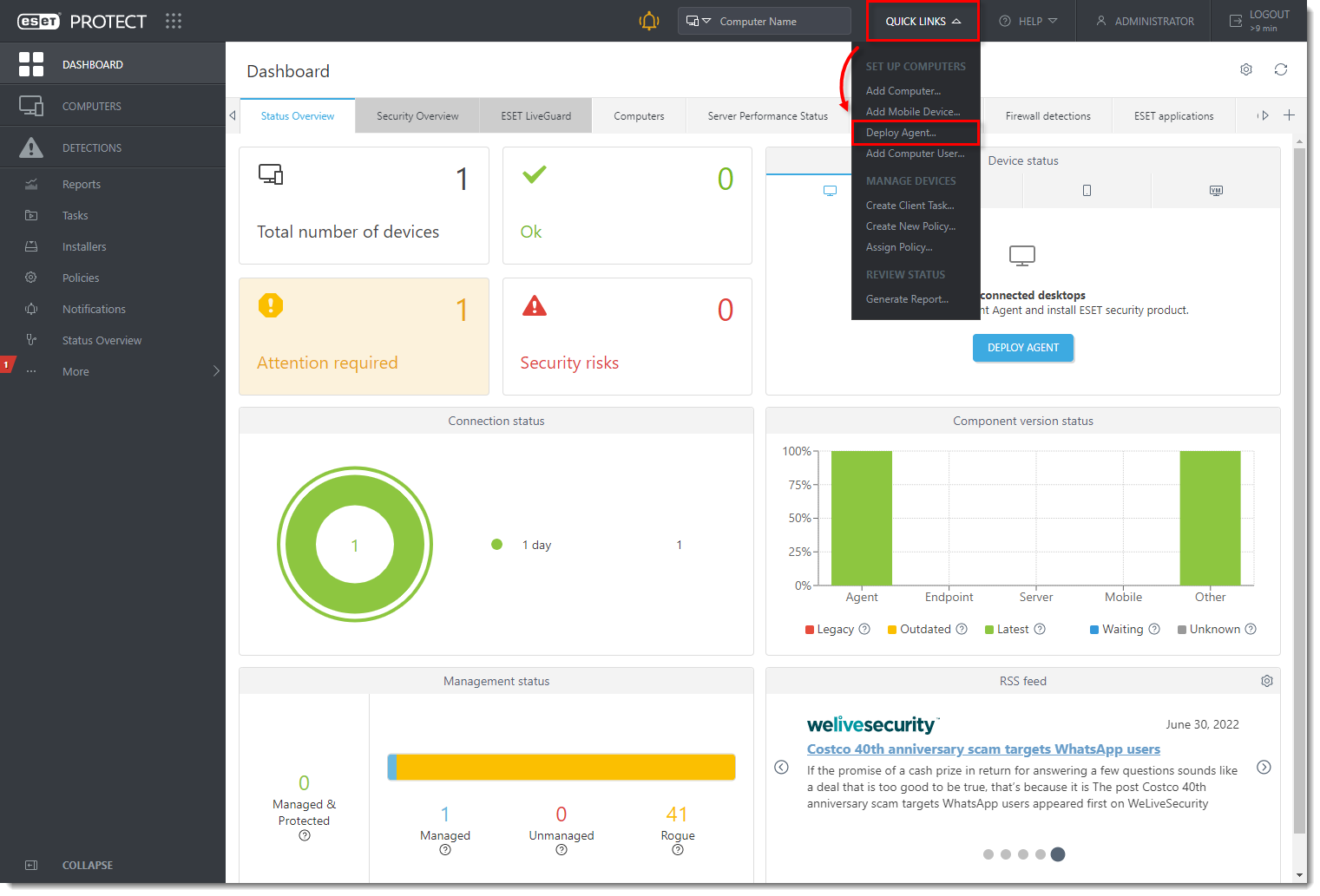
Select Linux. You can deselect the check box next to Participate in product improvement program if you do not agree to send crash reports and telemetry data to ESET. Configure other settings such as Parent group, Server hostname, Port number (default is 2222), Peer Certificate, and Certificate passphrase if needed. Optionally, click Customize more settings to view more options. Click Save & Download
.
Distribute the Live Installer file to your Linux client using email or a shared network folder. Download the file to the Desktop on your client.
After you have downloaded the file to the client, double-click PROTECTAgentinstaller.tar.gz to extract the file. PROTECTAgentinstaller.sh will be extracted to your Desktop. If you prefer to extract through a terminal, type the following command:
In the Terminal window, type the following commands to run the install script:
Type the password for your user account. Characters will not appear in the password field, but the password will still be entered. Press Enter on your keyboard when you are finished to continue the installation.
In the Terminal window, to verify that the Agent is running, run the following command:
Related Articles
ESET Bridge (ESET Proxy) Configuration
ESET Bridge requirements and supported products: https://help.eset.com/ebe/4/en-US/?requirements_and_supported_products.html Installation on Windows (standalone installer) Install ESET Bridge on a computer running a supported OS. 1.Visit the ESET ...
How to fix installation failed error for ESET management agent
1. Click Windows + R 2. Type appwiz.cpl then click Ok 3. Find the existing ESET Management Agent, right-click, then click Change 4. Click Next 5. Click Remove 6. Input the password or if the password was not set, click Next 7. Click Remove 8. Wait ...
Upgrade client machines to a later version of ESET Endpoint Encryption
Issue Upgrade ESET Endpoint Encryption (EEE) client machines managed by an EEE Server to a later version Upgrade ESET Endpoint Encryption on unmanaged machines to a later version. Upgrade manually Auto update Push install Solution Download installer ...
Download, install and activate ESET Cyber Security
Issues Install ESET Cyber Security version 7 Solution Install ESET Cyber Security version 7 Uninstall any previously installed antivirus software on your system. Download version 7 of ESET Cyber Security and double-click the appropriate installer ...
Activate ESET home and small office products for Windows using the Activation key
If you skipped activation during the installation, follow the steps below: Open the main program window of your ESET Windows product. When the product activation screen appears, click Use a purchased activation key. Figure 1-1 Type or copy/paste your ...